1567 reviews
51% of reviewers recommend this product.
trying to keep it simple . 6 months ago
Us331242 . 8 months ago
Depth
1.81 in.
Size
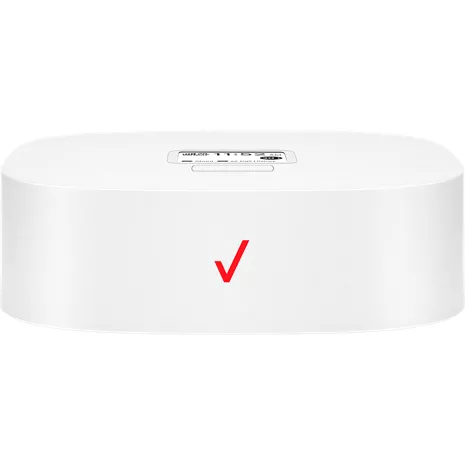
145 x 145 x 46 mm (with rubber foot)
Weight
15.87 oz.
Display
LCD size 1.77 inch, Resolution 128 (RGB)*160, Display mode Normally white, Pixel pitch 0.073(W)*0.219(H), Active area 28.03(W)*35.04(H)
Processor
GCT GDM7243Q
SKU#
WHPLVP2
1567 reviews
51% of reviewers recommend this product.
trying to keep it simple . 6 months ago
Us331242 . 8 months ago
Megz . 11 months ago
Soninlaw . 11 months ago
Michael Gent . 11 months ago
Blind Bob . 12 months ago
Dean . 1 year ago
1 year ago
Fran g . 1 year ago
PYaeger . 1 year ago
Hola . May 30, 2026
What is the battery?
The Verizon Wireless Home Phone LVP2 uses a 2800 mAh Lithium-Ion (Li-ion) rechargeable battery. It serves as a backup power source in case of power outages to keep your landline phone active. For more questions, contact Verizon Customer Service at 800-922-0204. -Ross
Kathleen . May 18, 2026
Once the LVP2 has been hooked up where can i find the direction's to set up for the cordless landline phone
You can find the setup instructions for your cordless landline phone directly in the user manuals for both your Verizon LVP2 device and your cordless phone system. -Sarge
Lucy . May 18, 2026
is this phone compatible for use as an emergency telephone in elevator?
The Verizon Wireless Home Phone LVP2 is not meant to be used as a standalone emergency communication device in elevators. ~Brian
Home phone LVP2 . May 17, 2026
Can you use without wall jack?
The Verizon Wireless Home Phone LVP2 does not need a wall jack to function. You can find more info in the Set Up instructions here: https://www.verizon.com/support/knowledge-base-229716/ ~Jesse
Wifi . May 16, 2026
How to update wifi connection
To update the device's software over-the-air, ensure it is plugged into AC power. Press the Menu button twice to access the "About" section. When the screen displays the software version and IMEI number, double-press the Menu button again to initiate the update and follow the prompts. The Verizon Wireless Home Phone (LVP2) relies on the 4G LTE cellular network to provide a dial tone rather than a standard Wi-Fi router network. However, if you are experiencing connection issues or need to update software, you can do so directly on the device. Verizon Steps to Manually Update the Device Connect to Power: Make sure your device is connected to a working electrical outlet using its AC/DC power adapter. Access the Menu: While on the Home screen, press the Menu button (located below the digital display). Locate the About Page: Press the Menu button again to access the second page of the 'About' section. Trigger the Update: Once the screen shows your software version and IMEI number, quickly double-press the Menu button in succession. Follow Prompts: Follow any on-screen instructions to complete the over-the-air software installation. For more questions, contact Verizon Customer Service at 800-922-0204? -Ross
no dial tone . May 11, 2026
No dial tone
With the Wireless Home Phone you will have a dial tone. If you are experiencing any issues with the device, please contact us here if you have a concern. https://www.verizon.com/digital/nsa/nos/ui/ngd/contactus -Dee
Robert . May 10, 2026
Can user access to 911 using this device?
You can dial 911 on the Verizon Wireless Home Phone LVP2. ~Jesse
Dana . May 6, 2026
Is this compatible with a dial up modem?
No, it is not compatible with a dial-up modem. -Sean
Jeff . May 4, 2026
Can we block numbers like we do on our cellular smart phones thru our Verizon account?
Yes, you can block numbers on the Verizon Wireless Home Phone LVP2 by using the My Verizon app or website. -Necia
John . May 1, 2026
Compatible cordless phones to use
Yes, the Verizon Wireless Home Phone LVP2 is compatible with most standard corded and cordless phones.~Joe M